For context, I’m on an iPhone using Firefox. I can’t use uBlock Origin, but am ready to block on the DNS level after this.
deleted by creator
Hey- that’s pretty handy. I didn’t know about this. Thank you!
You can only save 20 recipes before you have to pay, but you can view as many as you like without saving them. Still, a very nice app IMO.
deleted by creator
Also, since it looks like you’re on iPhone, Paprika 3. Worth every penny.
theres also cooked.wiki. tack “cooked.wiki/“ onto the start of a recipe URL and it scrapes and reformats for you
What a sad state of affairs that such a site is even necessary. The internet was supposed to make finding information easier, not some increasingly kafkaesque tug of war.
Thank you for posting that though. It should come in handy.
Use justtherecipe.com - it will not only cut ads, but also the sob story about the writer’s grandmother and how they kept this thing a family secret for exactly 137 years until now.
I DON’T GIVE A SHIT ABOUT YOUR GRANDMOTHER IN FACT IM GLAD THE BITCH IS DEAD
-Things I never thought would cross my mind because of a cookie recipe
we’ve long transcended beyond User Experience and into Advertiser Experience
Just like television - the ads are the content; the shows are the filler.
Brings to mind the black mirror episode with the dude who made his living doing a tour on a stationary bike generating electricity and watching ads, but ending up squandering the proceeds on avatars to entertain him and on a girl he was crushing on who was fast tracked to hardcore porn as a result of his financing.
do you remember the episode title maybe? sounds interesting
This.
deleted by creator
I low-key find it more infuriating that you’re not using an adblocker…
That’s not exactly easy on an iPhone
Edit: I guess I was wrong
Recipes are a laptop endeavour.
Edit: this is what it looks like with adblocker on. iPad mini 5 with LockDown app, and raspberry pi running pihole.

If ads annoy you as much as they annoy me, get an adblocker. But if there are sites that you use regularly, and block ads on, you might consider contributing to their patreon or whatever.
Try pasting the link in 12 foot ladder next time. Works beautifully. https://12ft.io/
Firefox has a reader mode built in. Works in mobile too. I assume it’s very similar to this, it just cuts out an extra step.
Firefox also has ublock origin support on Android.
I recently switched from iPhone to Android, and let me tell you it is ridiculous how much more control you have over your user experience. Adblock alone made it worthwhile.
Anyway, on iPhone i used to use reader mode to filter all that crap. Though some asshole sites block the function
Anyway, on iPhone i used to use reader mode to filter all that crap.
Why not just use an adblocker?

(IPhone doesnt have those)
Weird, because the adblocker on my iPhone seems to be working perfectly.
iPhone has had support for ad blockers since 2015.
How so? All Browsers on ios are just skins for safari. Unless you are counting jailbreaking the device first
So? Safari has had built in adblocker support since iOS 9.
I use AdGuard myself and it works flawlessly.
Just dug around the Safari settings on my (fairly old) device, i cant seem to find any extensions or addons. Though i believe you of course, a quick web search suggests so too. Perhaps my device isnt supporting them, its an old iphone x i think (or 8?)
You need to install an ad blocker from the app store. This one works well for me.
Start the app to select the blocking rulesets
Enable it in Settings > Safari > Extensions and Settings > Safari > Content blockers
AdGuard blocks ads just fine on iOS.
I used ddg and no ad blocker*, never was an issue until ddg on Android.
I use an app called Recipe Keeper. It’s amazing because I just share the page to the app, it extracts the recipe without any nonsense, and now I have a copy for later if I want to reuse it. I literally never bother scrolling recipe pages because of how terrible they all are, and I decide in the app if the recipe is one I want to keep.
It also bypasses paywalls and registration requirements for many sites because the recipe data is still on the page for crawlers even if it’s not rendered for a normal visitor.
Yeah, that’s fine, but at some point we need to start talking about alternative methods of monetization for websites. On the one hand, compiling a list of recipies on a website and maintaining that website is not easy or cheap and the owners should be able to make money out of it. On the other hand, the user should be able to pay for this comfortably and have a nice experience on the website.
This ad model doesn’t serve any of the two, business or consumer.
There are subscription recipe sites.
Yes, but paid content is not the norm and the reason for that is that blatant advertising and shoving malaware down people’s throats on grandma’s recipe website is not only legal, it’s a predictable business model.
You’re suggesting subscriptions… On Lemmy…? Good luck lol.
The Internet was just fine before everything had to be monetised
Sure, I agree.
Unfortunately, no such solution currently exists or has been widely adopted.
Looks like a peach of an app. Nice recommendation.
You shall be blessed stranger
My recipe box is another app that does the same thing. I haven’t looked at a recipe website in ages
Pihole has entered the chat.
Zenarmor waves.
This is the way
That’s nothing, look at this site I went to when I needed new jeans
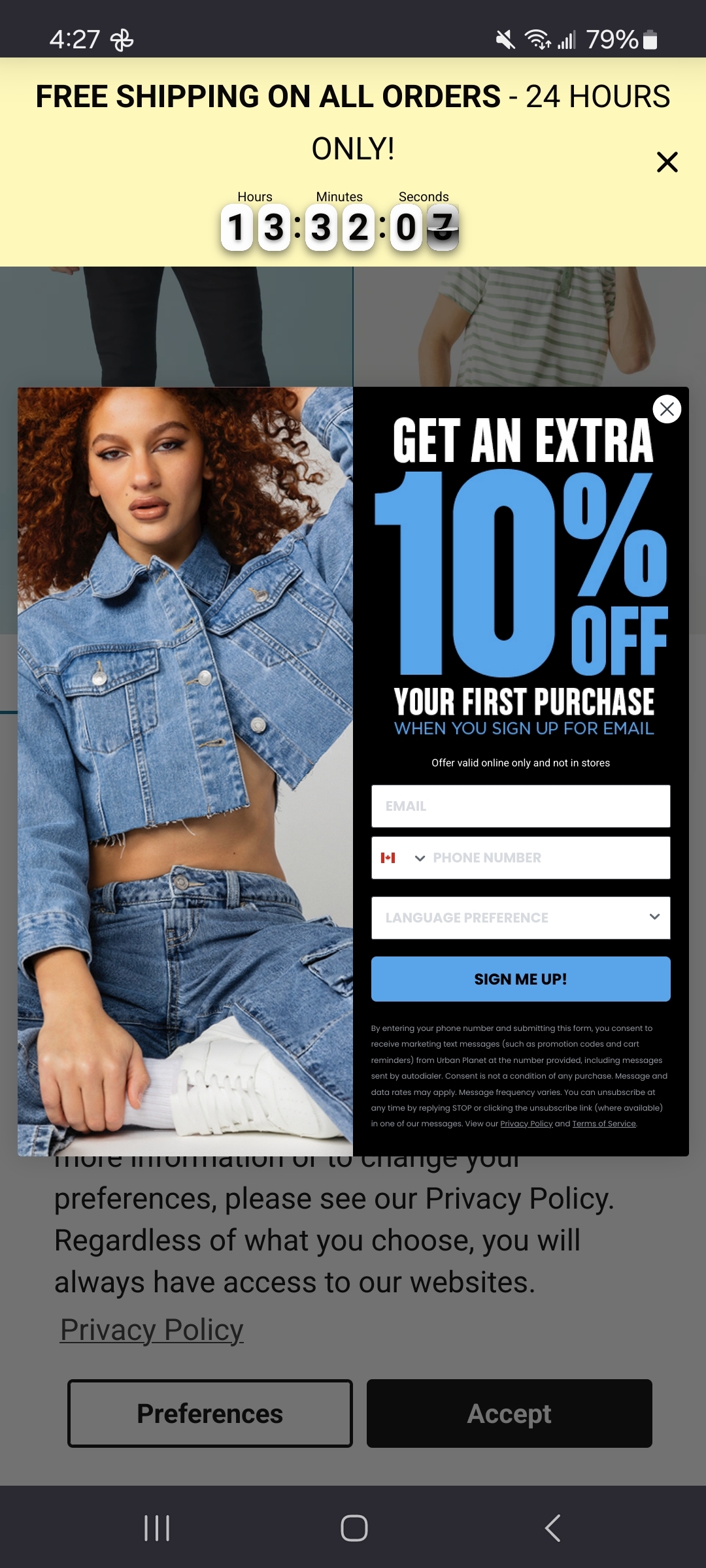
I want a browser extension where I can press the “never again” button and all links to that domain will be marked. Then I know never to click to that search result or shared link.
I’ve sort of done this manually for things like Twitter with some userStyles, but it is annoying to update and haven’t configured it on mobile. Kagi site-blocking is also great but only works from search results.
Unlock origin has the block functionality where you can mark sites with a warning before entering, Unfortunately that “one button” part doesn’t exist yet to my knowledge (leechblock might do it but I don’t know)
Yeah. It kinda works but I’ve already been bothered by clicking in the link. I just want to highlight the link so that I can avoid it completely.
In Kagi, you can prioritize results from domains you trust and deprioritize or hide results from domains you don’t like.
I loaded up a download page on a work computer recently, forgetting it didn’t have adblock. My god the amount of ads was insane. There were literally about 20 ads surrounding the content with varying styles and I could actually not figure out at a glance what was the main content. I don’t understand how anyone uses the internet raw anymore.
The other day sometime similar happened to me. I mean I was used to that sort of crap on some dubious downloads, but most recently it was a pretty reputable software from it’s actual reputable site, and there were like a half dozen “DOWNLOAD” buttons in boxes and arrows and like a tiny actual download link. Made me research whether that site has been hijacked since I had last used it, and folks were saying it just went that way. Still very reluctant to grab it on any system I vaguely care about or keep anything remotely sensitive, since indulging in those sorts of ads destroys any twist I might have had.
In the address bar of the Firefox app there’s a little icon that looks like a page with some lines on it. Tap that on any page to go to reader mode. Gets rid of most of this junk with a single tap.